
Street Photography: Capturing Emotion, Light and Melbourne’s Moving Trams
A tram slides through an intersection. Someone pauses outside a cafe. A patch of sunlight turns an ordinary wall into a stage.
Street photography begins with noticing these small moments. The settings matter, but the photograph comes alive when a gesture, a shape or a change in light makes you feel something.
Melbourne gives us plenty to work with: laneways, reflections, patterned architecture and people moving through their day. Here are some practical ways to turn those ingredients into photographs with a stronger sense of story.
1. Emotion and a Story
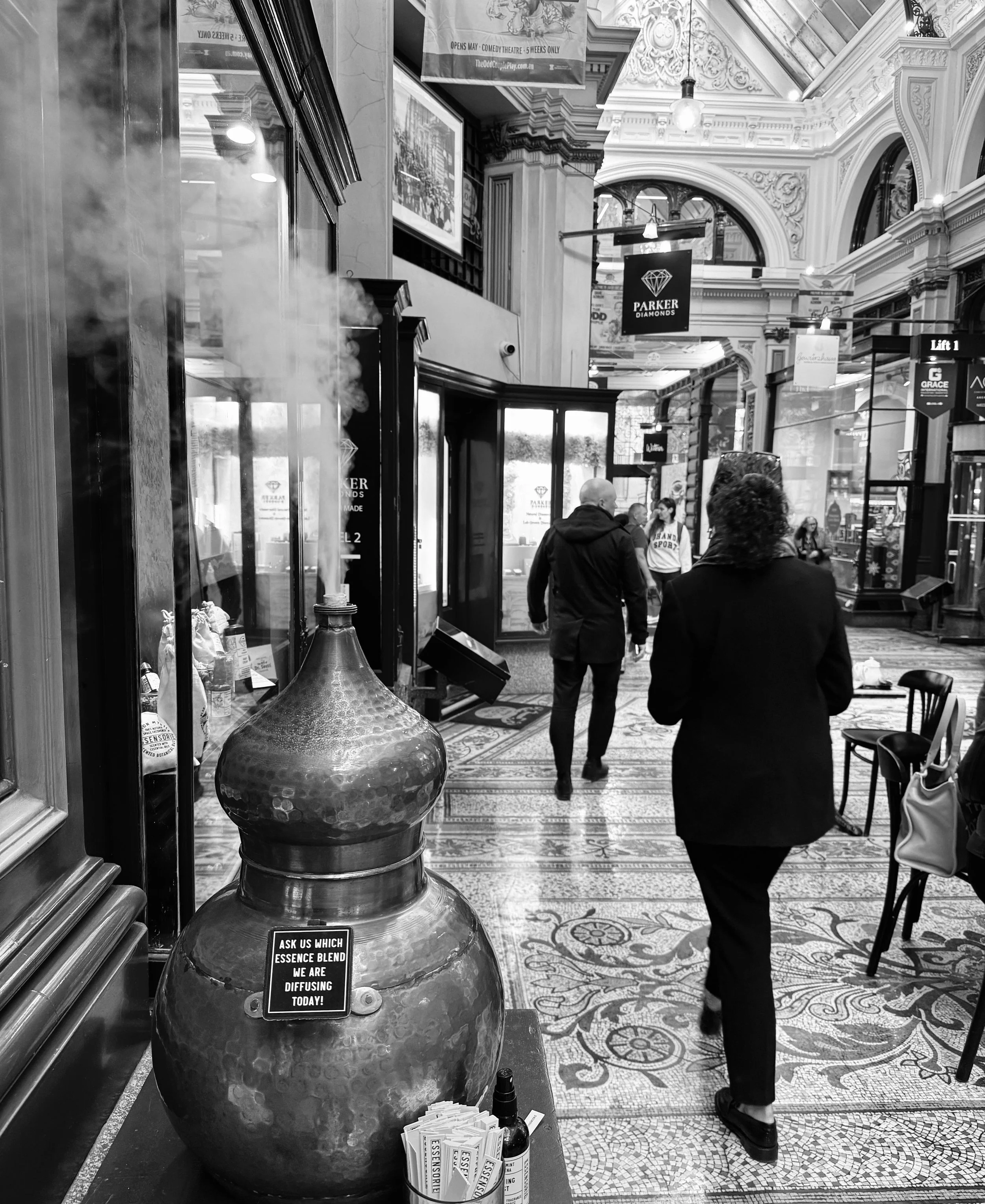
Melbourne - One of the many arcades we visit.
Finding Layers in Melbourne’s Arcades
This photograph brings together several things I look for in street photography: light, texture, geometry and everyday human movement.
The rising smoke catches the light in the foreground, while the patterned mosaic floor draws the eye towards the people walking through the arcade. Above them, ornate arches and the glass ceiling add another layer of detail.
The figures give the architecture scale and bring life to the scene. Their dark clothing stands out against the lighter surroundings, helping them remain clear within a busy composition.
In black and white, the contrast between the rising smoke, reflective surfaces and intricate patterns becomes more prominent. It’s a reminder to look beyond a single subject—sometimes the story comes from how people, light and place fit together.
2. Look for Light, Shadow, Angles and Shapes

Melbourne Arcades
In this Melbourne laneway, light and geometry turn an everyday scene into a layered street photograph.
The pale café tables catch the light against darker chairs and shopfronts, creating a repeating pattern that leads the eye into the distance. Overhead, the angled awnings form strong diagonals, while the pavement lines draw us further down the narrow passage.
The dark clothing of the foreground figure stands out against the brighter pavement. Shadows stretch towards the camera, adding depth and reinforcing the direction of movement.
Notice how the round tables and curved chair backs contrast with the straight window frames and sharp angles above. In black and white, these relationships become more prominent, allowing light, shape and texture to carry the composition.
The people bring the scene to life, giving those lines and patterns a human story.
3. Choose Your Camera, Lens and Depth of Field
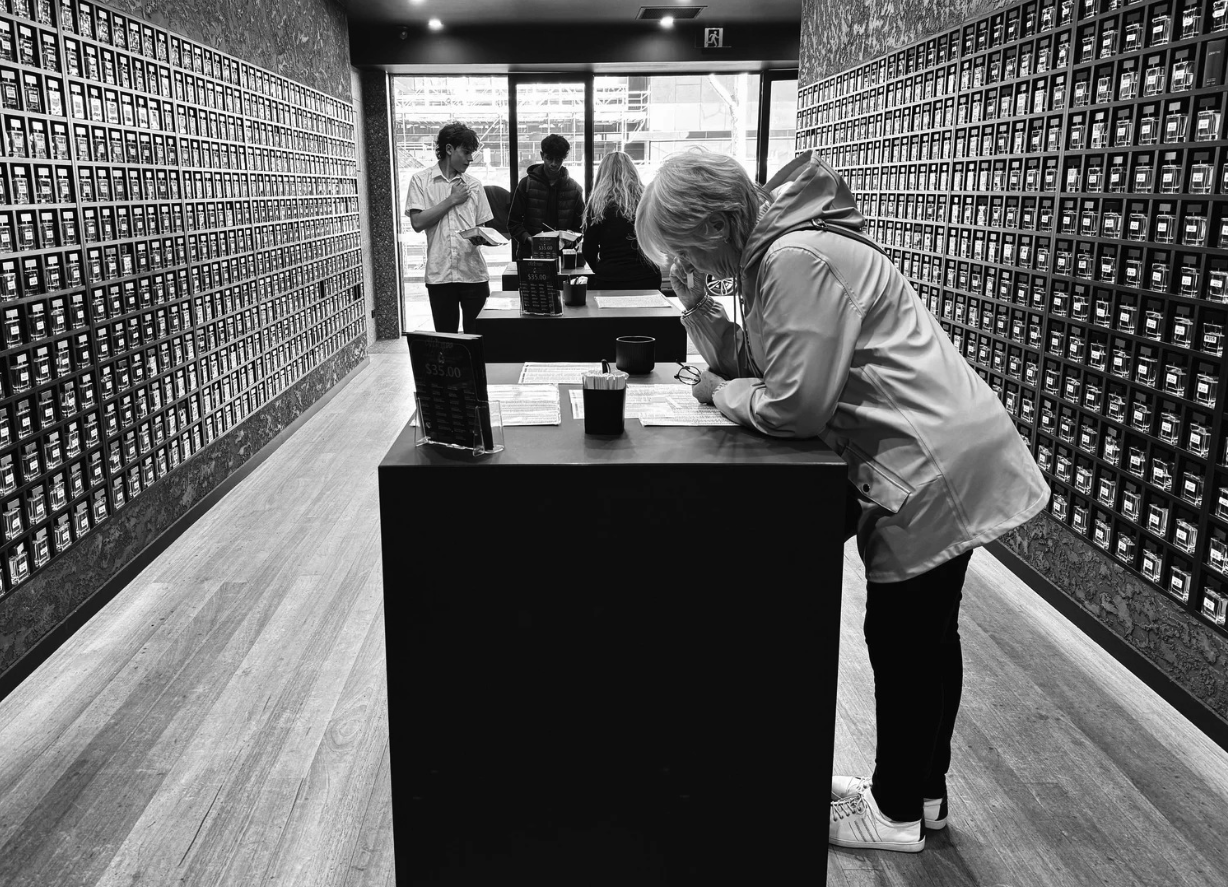
A Moment Among the Patterns
A gesture becomes stronger when the surroundings help tell the story. Photograph
I carry my trusty iPhone 15 Pro Max, a Nikon D850 with the Nikon 24-70mm f/2.8, and a Nikon D500 with the Nikon 70-200mm f/2.8.
The D850 and 24-70mm let me move between a wider view of a person within a place and a tighter view of a gesture. Around 24-35mm, the surroundings can become part of the story. Around 50-70mm, I can simplify the frame. At wider focal lengths, I watch faces near the edges for stretching.
The D500 and 70-200mm suit details and layered compositions from farther away. The D500's DX format gives that lens an angle of view equivalent to approximately 105-300mm on full frame. Its actual focal length and maximum aperture remain 70-200mm and f/2.8.
For an isolated gesture, try f/2.8-f/4, focus carefully and look for distance between your subject and the background. For a person whose surroundings matter, try f/5.6-f/8. If several people sit at different distances, you may need f/8-f/11 and a careful focus choice.
Aperture alone does not determine the result. Focus distance, focal length and format also affect depth of field. Make a comparison frame rather than assuming f/2.8 will blur everything behind your subject.
4. Capture Movement and Melbourne’s Trams
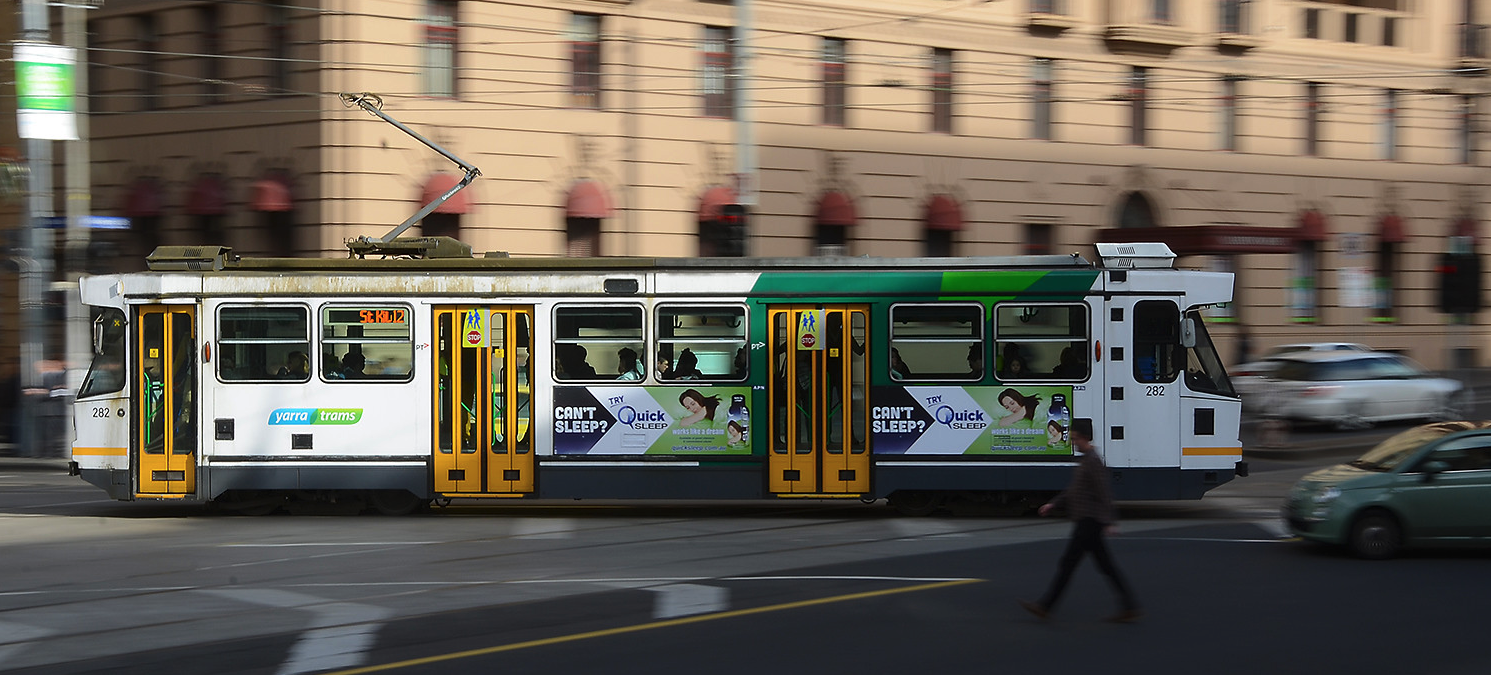
Tram - Melbourne - Not my image but this is what we are trying to capture
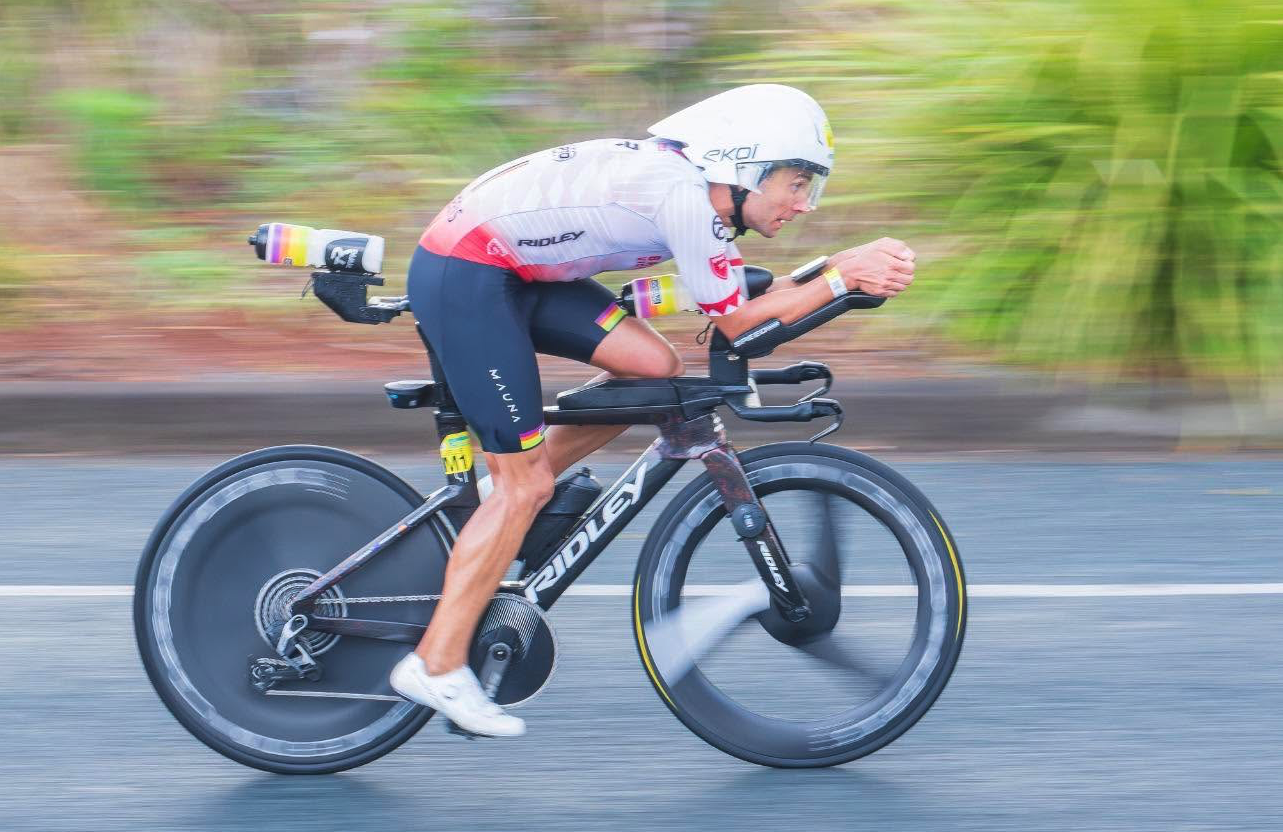
The Winner of The Ironman in Port Macquarie - Oct 2026 - Photograph by John Armytage Photography
I used the panning technique for this image
A moving image can convey very different feelings depending on your shutter speed.
To freeze it, start around 1/1000 second and adjust after checking the image. For a pan, try 1/30 second in shutter-priority mode, use continuous autofocus and follow the tram smoothly through the exposure. Experiment between 1/15 and 1/60 second. Expect some missed frames as you practise.
For a streak of movement against a sharp street, keep the camera still on stable support. Start in manual mode at 1/4 second, f/8 and base ISO: ISO 64 on the D850 or ISO 100 on the D500. Pre-focus on a stationary part of the scene. The tram will blur while fixed features can remain sharp.
If daylight makes that exposure too bright, an ND filter, dimmer light or a modestly smaller aperture can help. Auto ISO cannot fix overexposure once it reaches its lower limit. Avoid closing down to f/22 automatically, because diffraction can soften detail.
Tram speed, direction and distance all change the amount of blur. Stay on a safe footpath, clear of tracks and traffic, and let the tram come to your composition.
Panning: Capturing the Feeling of Speed
The photograph above of the overall winner at Ironman Port Macquarie shows how panning can communicate the speed and intensity of a race.
By following the cyclist smoothly with the camera during a slower shutter exposure, I kept the rider relatively sharp while allowing the background to streak across the frame. The blurred wheels and road reinforce that sense of forward movement, while the rider’s focused expression remains a strong point of interest.
To practise this technique, start around 1/60 second, use continuous autofocus and track your subject before pressing the shutter. Keep moving smoothly throughout the exposure and follow through afterwards. Adjust your shutter speed to suit the subject’s speed and distance.
The same approach works with Melbourne’s trams, cyclists and passing traffic—giving your photographs a sense of movement you can almost feel.
5. Make the Most of Your Trusty Phone
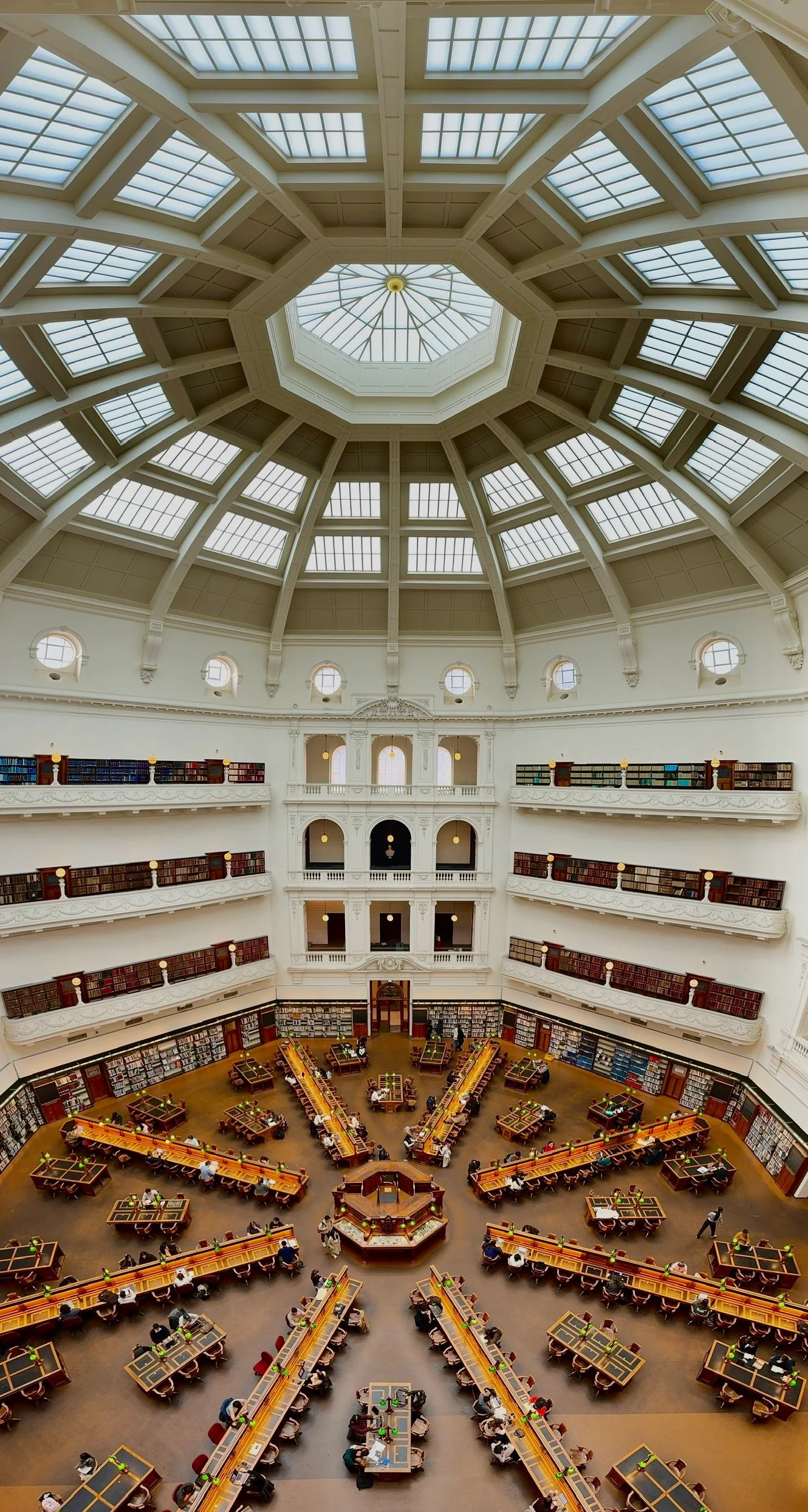
Melbourne’s State Library - I Captured this image using my iPhone on Pano mode.
Look Up: Capturing the Library’s Extraordinary Scale
For this photograph inside Melbourne’s State Library, I used my iPhone’s Pano mode to create a vertical composition, sweeping from the reading room below me upwards and right over my head.
That sweep brings the entire space into the photograph—from the radiating desks and colourful bookshelves to the magnificent glass dome above. The repeating lines guide your eye through the image, connecting the activity below with the soaring architecture overhead.
What I love about this technique is how it captures the feeling of being there: looking down at the readers, then lifting your gaze to appreciate the sheer size of the ceiling.
Panoramas don’t have to stretch from left to right. Think vertically, move slowly and smoothly, and explore how much more of a place you can reveal.
Beyond the Frame: Revealing the Library’s Grandeur
The iPhone is a useful camera for responding quickly. Try 1x for a person within the scene, 2x for a tighter composition and 5x for distant details in good light. The 5x camera gives a 120mm-equivalent view.
Tap your subject to set focus and exposure. Touch and hold for AE/AF Lock, then reduce exposure if bright areas need protecting.
Portrait mode can simulate shallow depth of field, but inspect edges around hair, glasses and other fine details. The f-number control adjusts the blur effect; it does not change the lens's physical aperture.
One of my favourite iPhone tricks is a vertical panorama inside the State Library. Select Pano mode and hold your phone sideways, then sweep slowly from below you up and over your head, following the on-screen guide. It gives an amazing sense of the size of the ceiling and the space around you. Keep the movement smooth and check the finished image for stitching errors.
For creative movement, take a Live Photo while holding the phone steady before and after the shutter. Open it in Photos and choose Long Exposure from the Live effects menu. This creates a computational motion-blur effect rather than giving you a selectable slow shutter speed. The standard Camera app does not provide manual shutter or aperture control.
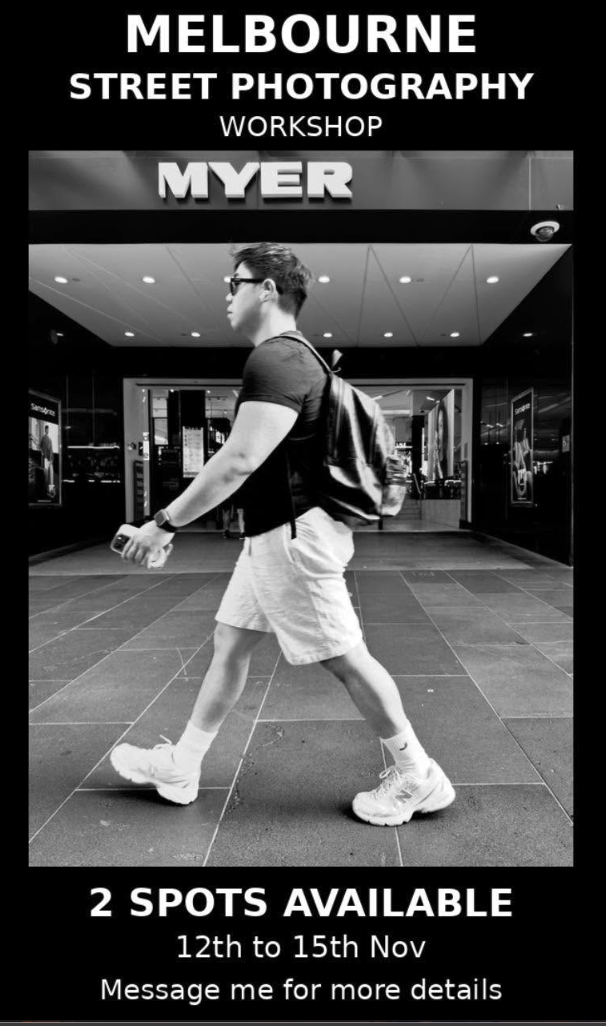
6. Take These Ideas Into the Street—and Download Your Free Cheat Sheet
Give yourself one task at a time:
- Federation Square: combine a triangle, a diagonal and one clearly separated person.
- Degraves Street: tell a cafe story through hands and a gesture; ask before a close portrait.
- Flinders Street: wait for one person to step into a clean patch of light.
- A tram route: make a freeze at 1/1000 second, a pan at 1/30 and a supported blur at 1/4.
- The Yarra riverfront: use a reflection and one still visual anchor.
- An arcade or market: make a three-frame story: wide scene, interaction and detail. Follow venue photography rules and keep walkways clear.
Review what each choice changed. Did the background add context? Did the blur suggest energy? Can you see the gesture that made you stop?
If you would like to practise with guidance, explore the [Melbourne Street Photography & Culinary Workshop]. It brings street photography and Melbourne's food culture together, with practical tuition from John Armytage and Craig Williams.
Bring the camera you enjoy using and a willingness to observe. There is always another story around the corner.
You do not need to memorise every setting before heading out. My four-page A4 cheat sheet puts the key ideas together: emotion, light and shadow, geometry, depth of field, slow shutter techniques and practical starting points for my Nikon and iPhone kit.
Save it on your phone or print it for your next photography walk. Choose one challenge, slow down and see what unfolds.